
The problem
Online editors often trade speed for features: accounts, project scaffolding, ads, or a heavyweight workspace before the first line of code runs.
The goal was a small, fast editor that works on a phone and a laptop, remembers recent work locally, and keeps the execution path simple.
What I built
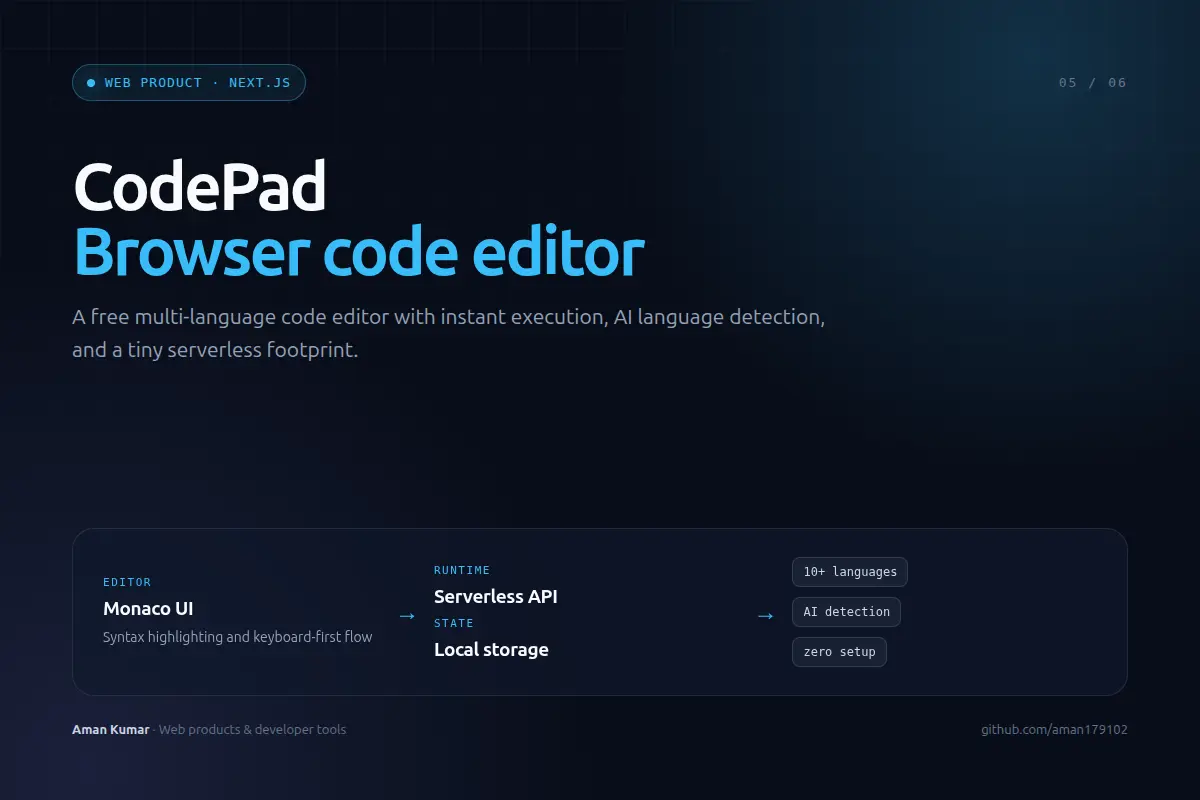
- A Monaco-based editor with syntax highlighting and a keyboard-first workflow.
- A serverless execution API that accepts code, applies limits, and returns output without a persistent execution server.
- Support for more than ten languages, with AI-assisted language detection to reduce setup friction.
- Local storage for recent snippets, plus a responsive layout that stays usable on small screens.
System shape
Decisions and tradeoffs
No login wall
The first interaction should be writing code, not creating an account. Local storage covers the common case without a backend identity system.
Serverless where it counts
Execution is isolated behind an API route, keeping the product cheap to host and easy to deploy.
Small interface, fast feedback
The editor is the product. Every extra panel has to earn its place.
Outcome
A polished web tool with 22 GitHub stars, designed to make the distance between “what does this do?” and a real result as short as possible.
The best developer tool is the one that gets out of the way. No account, no setup, no ceremony.